DFX Intelligence
You run the company.
Your General runs the work.
Give it an objective. It researches, decides, executes and follows through across the open web, your inbox, your phone and your CRM, until the thing is finished.
You stay in charge of it. Anything that reaches a real person waits for your yes, and one tap stops everything.
From $20 a month in your browser, $199 for a full operator. Seats are free on every tier. See what each one does.
Running businesses today: a commercial cleaning company, a construction company and two real estate firms run their day on a General.
Ordinary AI
Question→Answer
A General
Objective→Research→Decisions→Actions→Follow-up→Outcome
The same technology underneath, and a completely different arrangement with your business: you stop being the one who has to sit in the middle and operate it.
By industry
The General, for the way your industry actually works.
Pick yours. About a minute each, and every one is a different business with different work in it.
Ten filmsNo film states a number we cannot source, and every capability listed under one is something the product does today.
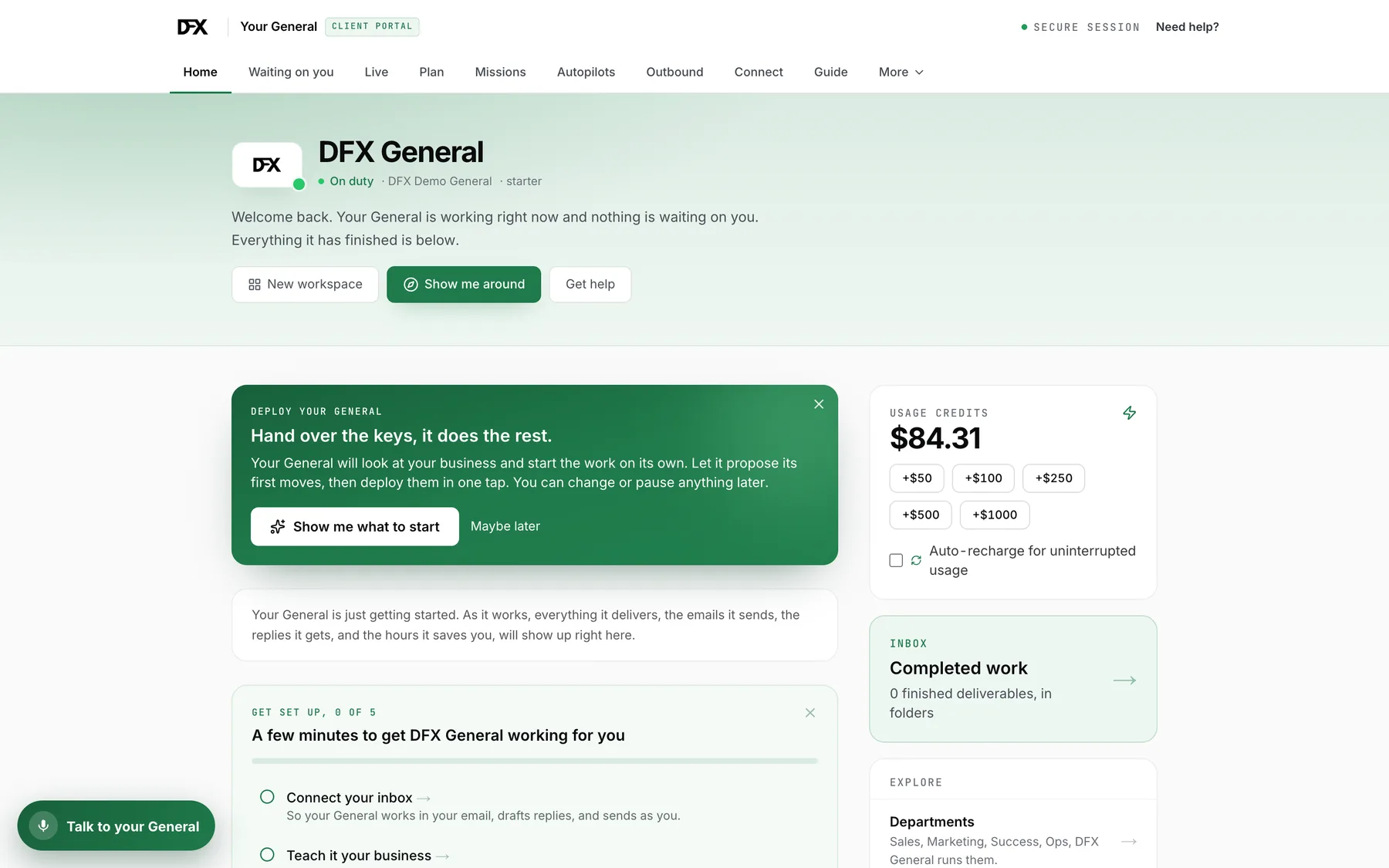
And these are the screens, untouched.
Not renders and not a mockup. This is the product as it ships, and it is the same product in the film.
Three minutesIt introduces itself, and then does the work while it talks.
Scroll sideways
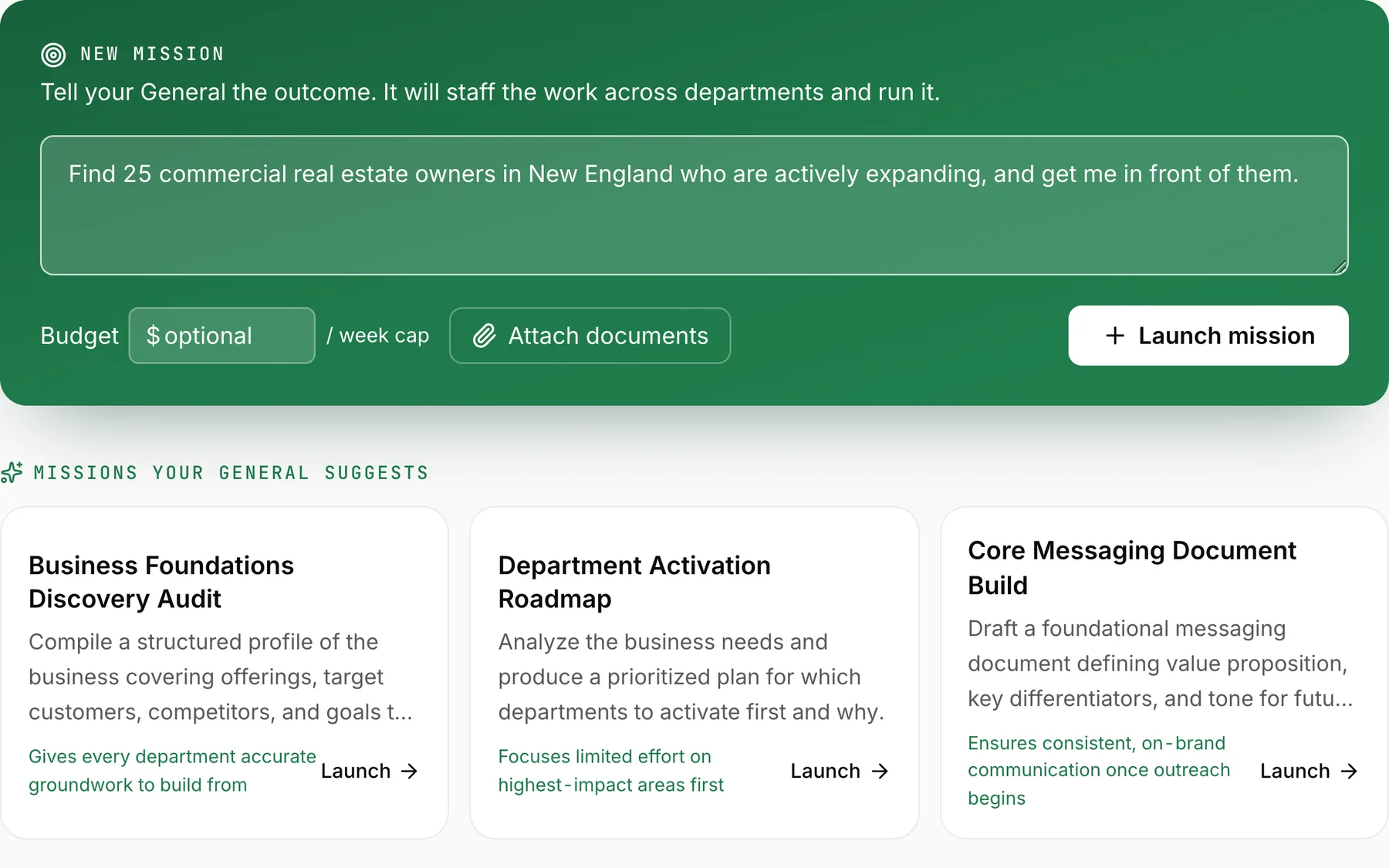
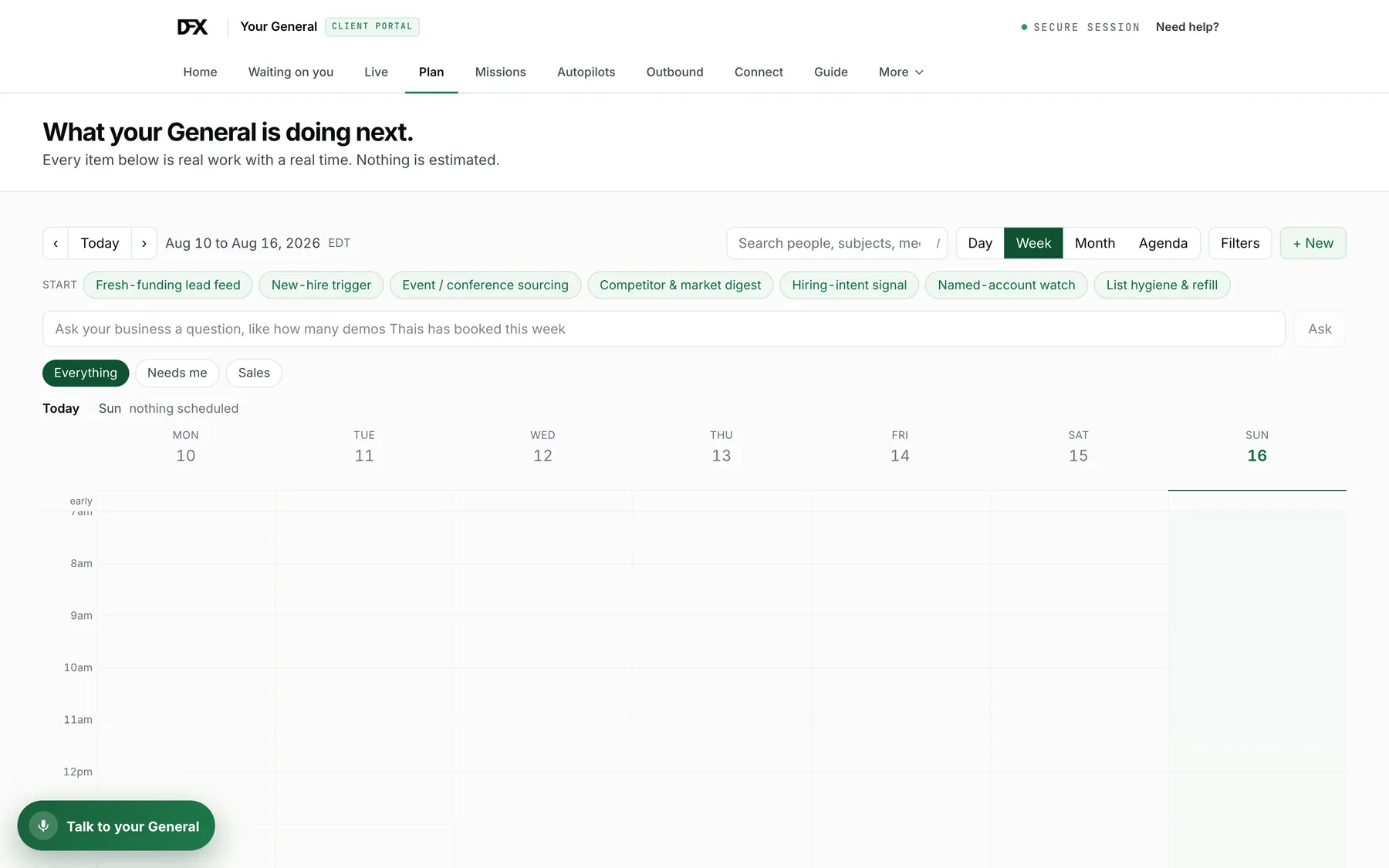
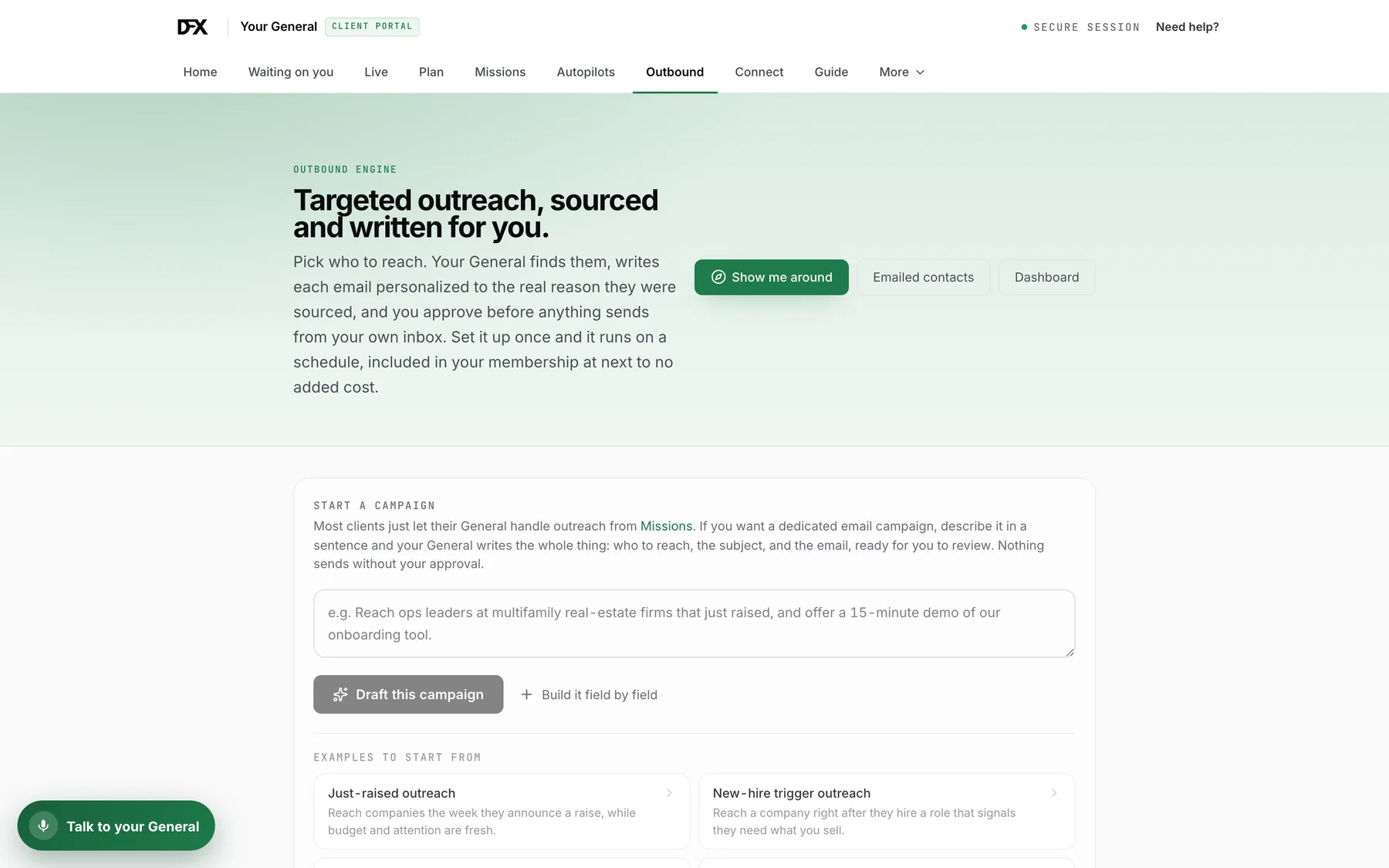
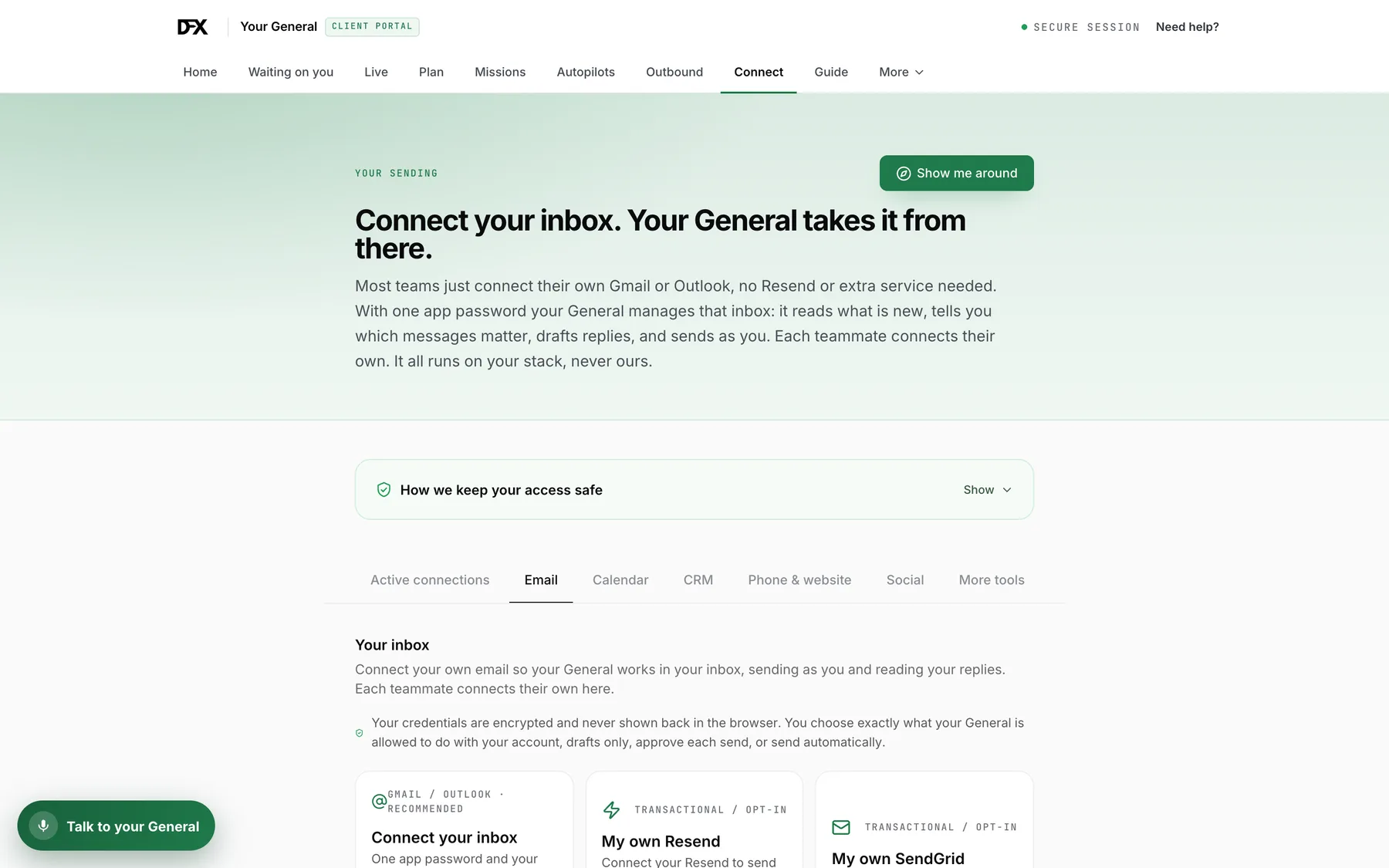
“You need to see what the General can accomplish in a matter of minutes. INCREDIBLE!!!”
“This is the best AI product I have seen”
“It's a home run!”
Verbatim, from General Pro and Teams clients. First name and business only, because none of them agreed to be a logo.
“I called the General from a walk and asked it for help with some new marketing videos to post”
Call your General the way you would call your office, from the truck or halfway round the block. It knows your customers, your calendar and your open jobs, and it gets things done while you are still talking.
“It calls me during the day to ask my approval for sending proposals and emails, it's awesome!”
When a real decision is waiting it rings you, instead of parking it in a dashboard you would have to remember to open. You approve it in a sentence and it carries on.
Or skip the adjectives and open something it made.
Already inside these networks




Associations, event networks and industry platforms whose members get a General on terms agreed with the network rather than one member at a time. There is a version of this for your room.
Two more things you can have for nothing.
The box at the top of this page is the fastest way in and it needs no account. These are for the mornings you just want names, and for when you would rather ask a person.
Talk to a person or run the longer written analysis. A person here reads every one.
Need leads this morning?
Tell it who you want to meet. It comes back with three researched prospects and why each one is worth a call right now.
Cup of Leads gives you the targets. A General takes it from there and works the whole list.
One General, sized to where you are.
Seats are free on every tier. Pro and Teams differ by how many people and workspaces you get, never by a charge per head. Usage is billed as you go on top, with a hard cap so there is never a surprise.
The General
Your General, working right in your own browser.
Includes $20 of usage every month, extra as you go
- Works in your own signed-in browser, on your own accounts
- LinkedIn outreach: source, connect, and message at a human pace
- Inbox co-pilot: read, triage, draft, and reply in Gmail or Outlook
- Find anyone’s verified email and reach them, personalized
- Talk to it by voice while you work
- $20 of usage included every month, extra billed as you go
General Pro
The full General platform, for one operator.
$200 onboarding, applied straight to your usage
First month refunded if it is not for you, 30 days.
- Everything in The General, plus the full platform
- Runs multi-step missions and objectives on its own
- Autopilots and standing orders on a schedule
- Builds research, documents, and deliverables for you
- Sends email from your own inbox, answers your phone
- Writes to your CRM and works your data room
- $200 onboarding, applied straight to your usage
General Teams
The full platform for your whole company.
$500 onboarding, applied straight to your usage
First month refunded if it is not for you, 30 days.
- Everything in General Pro
- Unlimited teammates, free, invite the whole company
- Unlimited workspaces, run every business or team as its own General
- Shared company knowledge and brand across the team
- Team roles: owner, admin, operator, viewer
- $500 onboarding, applied straight to your usage
Usage is billed as you go and every plan checks with you before anything reaches a person. Cancel anytime.
30 days, or your first month back. Try it for 30 days. If it is not for you, tell us and we refund your first month in full. That is the plan fee, not the usage you have already run. Usage is work already run for you and already paid for, so it stays where it is. Everything else about the first month is ours to earn.
There is nothing to migrate, and nothing for anyone to learn.
- 01
Pick your plan
Your General is provisioned within the hour, on a workspace that is yours alone, with a hard usage cap on it.
- 02
Tell it about your business
A working session, not a project. You talk it through the way you would brief a new hire, and we connect your inbox, calendar and CRM while you do.
- 03
Hand it the first outcome
Not a task. The outcome. It works out the steps, does them, and comes back with it finished, then keeps going on its own schedule.
The questions people actually stall on.
What Chrome will ask you
To act on a page the way you would, the extension needs Chrome’s automation access, and Chrome shows a warning when you install it. Read that warning rather than clicking through it. It never sees or stores a password (it uses the session you are already signed into), and it will not touch a bank, brokerage or payroll site, which is blocked in the extension’s own code rather than by a policy we promise to follow. No setting turns that off.
- What is actually different about this compared to the AI I already use?
- The AI you already use answers. It waits for a prompt, produces something, and stops. A General is given an outcome and goes and gets it: it decides the steps, opens a browser, reads the sources, finds the people, writes the messages, files the results in your CRM, and keeps going tomorrow without being asked. You are not buying a better answer. You are buying the part after the answer.
- Can I see it work before I pay for anything?
- You already can, at the top of this page, and none of it is a calendar invite. Type what you want into the box: ask it to look at your own business and it reads your website and tells you what it would take over, or ask it to find customers and it searches the open web and comes back with real companies, each citing the page it was found on. No account, no card, nothing to install. It shows you the result before it asks who you are.
- Will it message people without asking me?
- Only the way you tell it to. Anything that reaches a real person waits for your yes by default: you can keep it on drafts only, approve each one, or let it run once you trust it, and you can change your mind any time. One tap stops everything.
- What is the 30-day money-back guarantee, exactly?
- It covers your first month on General Pro or General Teams. If you decide inside 30 days that it is not for you, say so and we refund that month's plan fee in full, no argument and no exit interview. What it does not cover is usage, because usage is work the General has already gone and done for you and that we have already paid for. Cancelling stops the next month either way.
- How long before it is running on my business?
- One conversation, and it is working the same day. There is nothing to migrate, no workflow to build and nothing for your team to be trained on: you talk it through your business the way you would brief a new hire, we connect the inbox, calendar and CRM you already use while you do, and it starts from there.
- Is my business's information safe?
- Yours alone. Every customer is fully separated and encrypted, your General only ever knows your business, and your credentials are never shown back in the browser. In Chrome it borrows the session you are already signed into, so your logins never pass through us at all, and banks, brokerages and payroll sites are blocked in the extension's own code rather than by a policy we promise to follow.
Give The General something to do.
Same box as the top of the page. It starts in about a minute, and what it finds is yours to keep whether or not you ever buy anything.
Ready without being shown? Start a General from $199 a month, seats free · Your first 10 people are on us on the $20 browser tier
Anything that reaches a real person waits for your yes.